
Cube Dash
Screenshots
Cube Dash Game
Waiting in a queue or sitting on the bus, a simple tap game that needs quick reactions can be a good way to stay awake. Cube Dash fits that gap with short levels where a small mistake sends you back, but another try only takes a few seconds.
Most people will use it in quick bursts, playing a handful of runs between other tasks rather than for long sessions. Runs are fast, controls stay simple, and the focus is on timing jumps and dodges as the pace ramps up.
Cube Dash Game Features
Endless dash mode → Run as far as you can while the speed gradually increases and obstacles appear more often.
Level-based challenges → Tackle fixed layouts that teach patterns and reward learning the timing of each section.
One-tap controls → Tap to jump or change direction, keeping the focus on reaction time instead of complex gestures.
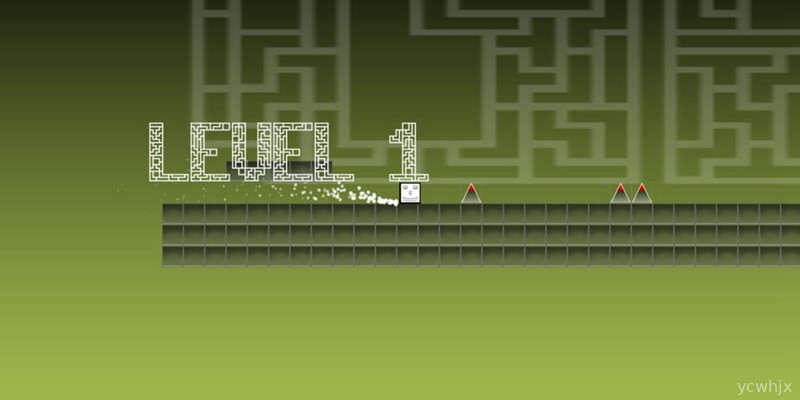
Simple geometric design → Clean cubes and flat colors keep the screen readable even when the pace gets fast.
Offline play → Load the game once and continue playing without needing a constant data connection.
Lightweight install → Small file size makes it easier to keep on lower-storage phones as a backup boredom buster.
Cube Dash Game Highlights
Often the game shines most in its short, repeatable runs that rarely last more than a minute but still feel challenging.
Just learning the rhythm of each obstacle set becomes its own mini-goal, especially when chasing a slightly better distance.
Sometimes the difficulty spikes can feel harsh, yet that same toughness makes clearing a tricky stretch surprisingly satisfying.
Usually the minimal visuals help focus on timing, though on older devices fast sections may still feel a bit jittery.
Often the lack of long tutorials means you are playing almost immediately, which suits people who dislike setup screens.
Cube Dash Gameplay
1. Start a quick run: Launch the game, tap play, and your cube starts moving automatically along the track.
2. Tap to react: Time taps to jump over gaps, avoid spikes, or switch lanes depending on the obstacle layout.
3. Learn from failures: Each crash restarts the run, but patterns repeat often enough that you can adjust timing on the next attempt.
4. Push for better scores: Try to beat your last distance or clear more levels in a row during short breaks.
5. Adjust to speed: As the cube accelerates, focus more on rhythm and anticipation than on watching every single tile.
6. Take short sessions: Play a few runs, put the phone away, then return later without needing to remember complex rules.
Cube Dash Conclusion
Cube Dash works well as a simple reflex puzzle runner that fits into spare minutes during the day. Controls stay basic, the visuals are clear, and the challenge comes from timing rather than learning complicated systems. Occasional difficulty spikes and minor stutter on weaker phones can be noticeable, but for anyone wanting a lightweight, offline dash game to fill quick breaks, it does the job without much fuss.










No comments yet. Be the first to share your thoughts!